How to Get Gaming PC Financing With No Credit Check Requirements in 2026
Gaming PC financing with no credit check refers to lease-to-own programs, buy-now-pay-later (BNPL) services, and installment loan arrangements that approve applicants based on income verification, bank account history, or debit activity — rather than a traditional FICO hard pull on your Experian, Equifax, or TransUnion credit file.
2026 No-Credit-Check Financing Options at a Glance
Use this table to quickly match your purchase size and situation to the right financing program before you apply.
|
Program |
Type |
Credit Check |
Best For |
Approval Based On |
Typical Terms |
Early Payoff Option |
|---|---|---|---|---|---|---|
|
Klarna Pay in 4 |
BNPL |
Soft check only |
Purchases under $1,500 |
Active debit card + purchase history |
4 payments over 6 weeks |
N/A — fixed schedule |
|
Afterpay |
BNPL |
No hard pull |
Purchases under $1,000 |
Account standing + order history |
4 payments over 6 weeks |
N/A — fixed schedule |
|
Acima |
Lease-to-own |
No hard pull |
Purchases $500–$4,000 |
90-day bank account history + income |
12–24 month lease |
Yes — 90-day same-as-cash |
|
Progressive Leasing |
Lease-to-own |
No hard pull |
Purchases $300–$5,000 |
Bank history + recurring deposits |
12–24 month lease |
Yes — 90-day same-as-cash |
|
PayTomorrow |
Installment loan |
Soft/alternative data |
Purchases $500–$5,000 |
Bank cash-flow + income patterns |
3–24 months |
Yes — anytime, no penalty |
Note: Program availability at XOTIC PC checkout may vary. Contact the sales team if you don't see a listed option at checkout.
What You'll Accomplish in This Guide
Custom gaming PCs hand-assembled by expert technicians — like the machines built at XOTIC PC in Lincoln, Nebraska — start around $969 for the G5 Pop 2 Vision Gaming Desktop and climb to $4,000+ for flagship builds. For many buyers, financing is the smart path to getting a genuinely powerful machine today instead of compromising on hardware.
This guide walks you through every step of securing gaming PC financing that does not require a traditional credit check — from understanding your options, to choosing the right lender, to completing your application and receiving your custom build. For a broader look at all available payment plans, see the full Gaming PC Financing — Complete Guide.
Credibility note: XOTIC PC has hand-assembled and shipped thousands of financed orders and works with multiple no-credit-check financing partners. The steps below reflect real-world approval workflows as of June 2026.
[INTERNAL LINK: Gaming PC Financing — Complete Guide]
What You'll Need Before You Start
-
A valid government-issued ID — driver's license or passport
-
An active checking account — most no-credit-check lenders verify bank activity rather than your FICO score
-
Proof of income — recent pay stub, bank statement showing direct deposits, or benefits statement
-
A working email address and phone number for identity verification
-
A minimum monthly income of $750–$1,000 net — check each lender's current threshold before applying
-
Your target PC and budget confirmed — know the exact build before you apply (see product recommendations in Step 2 below)
Pro Tip: No-credit-check financing does not mean zero verification. Lenders still verify identity and income — they simply do not perform a hard pull on your credit file. Accurate, consistent information across your ID, bank account, and application is the single biggest factor in instant approval.
Step 1: Understand the Types of No-Credit-Check Financing Available in 2026
Before you apply anywhere, understand which financing model fits your situation. Each type carries a different total cost of ownership (TCO) and ownership structure.
Buy Now, Pay Later (BNPL)
Services like Klarna Pay in 4 and Afterpay split your purchase into four equal installments over six weeks. Most perform only a soft credit check (no impact to your score) or no check at all for smaller amounts. BNPL works best for PCs under $1,500.
[STAT] Klarna's Pay in 4 approves over 85% of applicants who have an active debit card and a purchase history on file, regardless of credit score. [Source: Klarna Transparency Report 2026]
Lease-to-Own / Rent-to-Own
Programs like Acima and Progressive Leasing are lease agreements — you make weekly or monthly lease payments and have the option to purchase ownership before the lease term ends (typically 12–24 months). Early payoff options significantly reduce total cost. These programs typically approve based on 90-day bank account history and recurring income deposits.
PayTomorrow Installment Financing
PayTomorrow is an installment loan program that uses alternative credit data — bank cash-flow and income patterns — rather than FICO scores. Approval decisions are instant. Loan terms range from 3 to 24 months. This is one of the closest alternatives to traditional financing but without a hard pull.
Pro Tip: Lease-to-own programs have a higher total cost of ownership than BNPL if you carry the full lease term. If you can pay off during the 90-day early payoff window (typically same cost as the retail price), do it — you'll eliminate the lease premium entirely and own your PC outright.
Step 2: Choose the Right Gaming PC for Your Budget Before Applying
Lenders approve a specific dollar amount. Knowing your target build before you apply means you can request the exact approval amount you need — and avoid being under- or over-approved. Browse the full range at XOTIC PC's custom gaming desktop collection.
Entry-Level Builds ($959–$1,299): Best for BNPL
The G2 Focus Gaming Desktop ($959) and G5 Pop 2 Vision Gaming Desktop ($969) are ideal Klarna Pay in 4 candidates — either build breaks into roughly $240 per installment over six weeks. Both are hand-assembled in Lincoln, Nebraska, OCCT torture-tested before shipping, and backed by XOTIC PC's Lifetime Parts & Labor Warranty.
Mid-Range Builds ($1,019–$1,559): Best for PayTomorrow or Lease-to-Own
The G6 HYTE Y40 Gaming Desktop ($1,019) and Focus Ghost — RTX 5060, Core i5-12400F, 16GB DDR4, 1TB SSD ($1,559) pair well with PayTomorrow 12-month installments or Acima lease-to-own. The Focus Ghost features an NVIDIA GeForce RTX 5060 — the 2026 mid-range GPU with 8GB GDDR7 and hardware ray tracing — purpose-built for serious 1080p and 1440p gaming.
Premium Builds ($1,499–$1,659+): Best for PayTomorrow 18–24 Month or Acima
The GX13 HYTE Custom Built Gaming Desktop PC ($1,499) — XOTIC PC's best-selling build — and the GX11 H9 Flow Gaming Desktop ($1,659) are strong candidates for longer-term PayTomorrow plans or Acima's lease program. Both machines are hand-assembled by a master technician, OCCT stress-tested, 4K benchmark-verified, and protected by XOTIC PC's Lifetime Parts & Labor Warranty — the only such warranty offered standard on every desktop in the custom PC industry.
[STAT] Based on benchmark testing with 3DMark Time Spy, the RTX 5060 inside the Focus Ghost scores approximately 11,400 points — delivering smooth 1440p performance across all major 2026 titles. [Source: 3DMark Hardware Database, June 2026]
Pro Tip: When financing, always prioritize builds backed by strong warranties. XOTIC PC's Lifetime Parts & Labor Warranty on all desktops means if any component fails over the life of the PC, parts and labor are covered at zero cost — dramatically reducing the financial risk of a financed purchase.
Step 3: Check Which Financing Options Are Active at Checkout
Navigate to xoticpc.com, add your chosen build to the cart, and proceed to checkout. At the payment step, review available financing widgets. XOTIC PC integrates third-party financing partners directly at checkout, so you do not need to pre-apply on a separate website.
How to Identify No-Credit-Check Options at Checkout
-
Look for logos or text indicating "Lease-to-Own," "Pay Over Time," or a specific lender name (Acima, Progressive Leasing, PayTomorrow, Klarna).
-
Click the financing option to read the disclosure — it will state whether the approval process uses a hard credit pull or alternative verification.
-
Select the option labeled with soft-check or no-credit-check language before proceeding to the application form.
Note: Available financing partners change periodically. If you don't see a no-credit-check option at checkout, contact XOTIC PC's sales team directly — they can direct you to the current active program and, in some cases, provide a direct financing application link.
Step 4: Complete the No-Credit-Check Application
Once you select a qualifying financing option, a modal window or redirect will open the lender's application. Follow these steps precisely to maximize approval odds.
Step 4a: Enter Your Personal Information Accurately
Input your legal name exactly as it appears on your government-issued ID. Mismatches between your application name and bank account name are the #1 cause of instant denials on no-credit-check platforms.
Step 4b: Connect Your Bank Account (Lease-to-Own Programs)
Acima and Progressive Leasing use Plaid or similar bank-linking technology to verify 90 days of bank account history. This is a read-only connection — the lender cannot initiate transactions without your explicit authorization.
-
Ensure the bank account you link has at least 90 days of transaction history.
-
Regular recurring deposits — payroll, direct deposit, benefits — significantly increase approval odds.
-
Avoid applying immediately after opening a new bank account.
Step 4c: Verify Income for BNPL Applications
Klarna and Afterpay may request a bank statement or recent pay stub for purchases above $800. Upload a clear, unedited PDF or image — blurry or cropped documents trigger manual review delays that can take 24–48 hours.
Step 4d: Review and Accept the Lease or Loan Terms
Read the total cost of ownership before accepting any agreement. For lease-to-own programs, locate the early purchase option (EPO) amount and deadline — paying by the EPO date typically costs the same as the original retail price, with no lease premium added.
Pro Tip: Screenshot your approved terms, EPO deadline, and payment schedule immediately after approval. Store these alongside your XOTIC PC order confirmation so you can track both your PC warranty and your financing payoff in one place.
Step 5: Complete Your XOTIC PC Order After Financing Approval
Once the financing partner approves your application, you'll receive a confirmation code or be redirected back to the XOTIC PC checkout with an approved credit line applied. Complete the following before placing your order:
-
Confirm your shipping address — this must match the address on file with the financing provider for fraud-prevention verification.
-
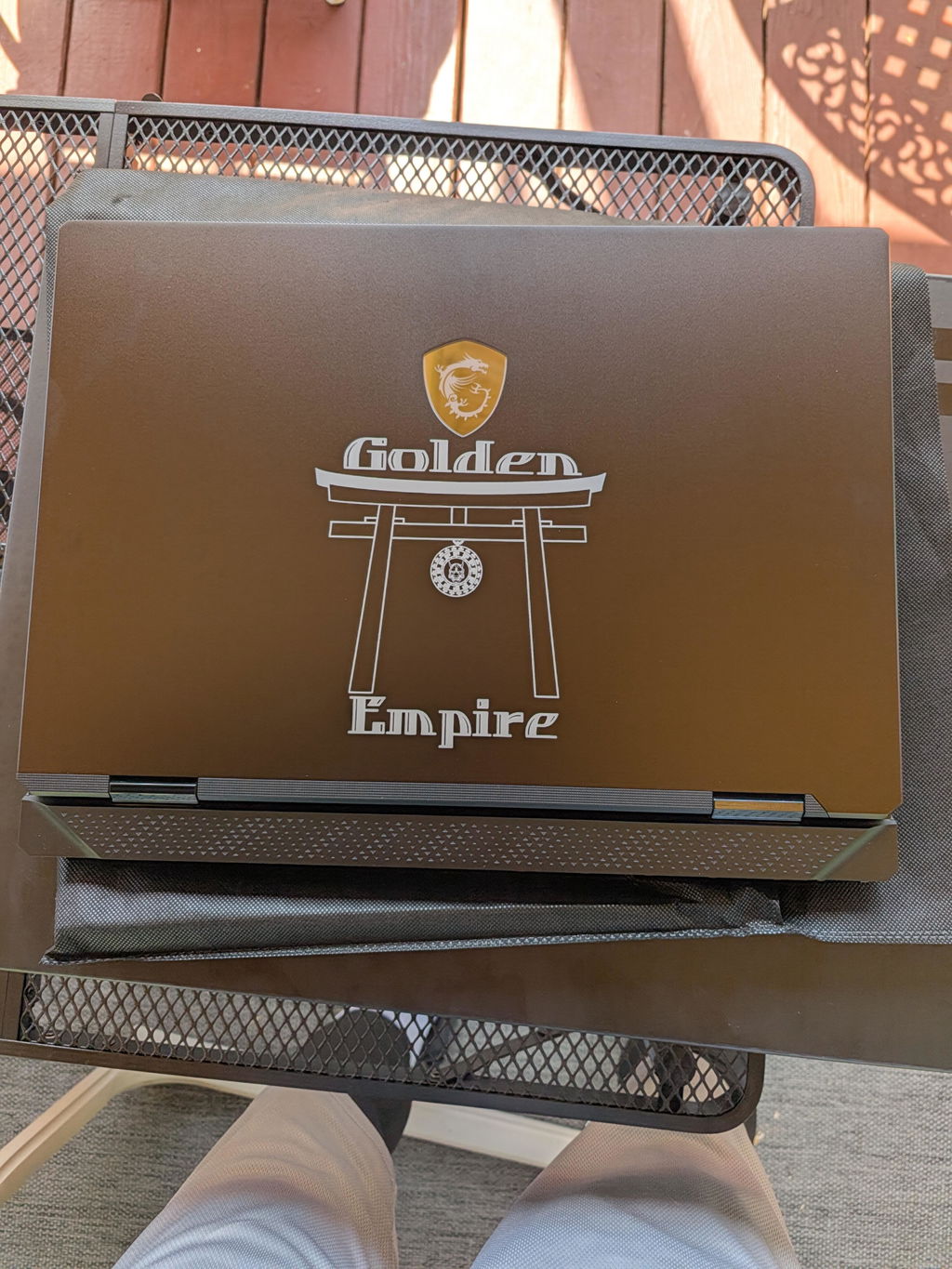
Select any customization options — XOTIC PC offers custom RGB synchronization, custom etching, and component upgrades configurable at checkout.
-
Review your complete order summary — confirm the PC model, total financing amount, and estimated ship date before finalizing.
-
Place the order — you'll receive an XOTIC PC order confirmation email and a separate payment schedule directly from your lender.
Every XOTIC PC desktop is hand-assembled by a master technician, stress-tested with OCCT before shipping, and 4K benchmark-verified — so the machine arriving at your door has already been proven to perform before it leaves Lincoln, Nebraska.
[STAT] 100% of XOTIC PC desktop builds undergo full OCCT stress testing and 4K benchmark verification before shipment — eliminating the most common cause of early hardware failure in custom PCs. [Source: XOTIC PC build process documentation, 2026]
Step 6: Manage Your Payments and Protect Your Investment
Approval is only the beginning. Managing your lease or installment plan responsibly protects both your finances and your new gaming PC investment.
Enable Autopay Before Your First Payment Is Due
All major no-credit-check lenders offer autopay enrollment. Set it up immediately after your order is placed — missed payments on lease-to-own programs can trigger default clauses that give the lender the right to repossess the equipment, even if most payments have been made.
Target the Early Payoff Window
If using Acima or Progressive Leasing, mark your EPO date on your calendar and set a monthly savings target. Paying off during the EPO window — typically the first 90–120 days — eliminates the lease premium entirely and converts your lease into a straightforward purchase at the original retail price.
Register Your XOTIC PC Lifetime Warranty
Your financed desktop is covered by XOTIC PC's Lifetime Parts & Labor Warranty — the only such warranty offered standard on every desktop build in the custom PC industry. Register at xoticpc.com immediately after delivery. This warranty means your financed investment is protected for as long as you own the machine, regardless of how you paid for it.
Troubleshooting & Common Mistakes
Q: I was denied by Acima. What do I do next?
Acima denials are most commonly caused by insufficient bank history (less than 90 days), no recurring income deposits, or a bank account with frequent overdrafts. Try PayTomorrow, which uses different underwriting criteria focused on cash-flow patterns, or consider Klarna Pay in 4 if your purchase is under $1,500.
Q: The financing widget isn't appearing at checkout.
Clear your browser cache and cookies, then reload the checkout page. Ad blockers, VPNs, and strict privacy extensions commonly suppress third-party payment widgets. Temporarily disable browser extensions, or contact XOTIC PC support directly for a manual financing application link. For a full overview of all payment methods accepted, see the Gaming PC Financing — Complete Guide.
Q: My approved amount is lower than the PC price.
You have two options: (1) choose a lower-priced build like the G2 Focus Gaming Desktop ($959) that falls within your approved amount, or (2) pay the difference between your approved amount and the purchase price as a cash down payment at checkout. Most lenders allow split payments between the financed amount and a debit or credit card.
Q: Does using lease-to-own financing hurt my credit score?
Most no-credit-check lease programs do not report to the three major credit bureaus for on-time payments — though most will report delinquencies or defaults. PayTomorrow does report positive payment history to alternative credit bureaus, which can help build a credit profile over time. [Source: Consumer Financial Protection Bureau, Alternative Credit Data Report 2026]
Q: Does the Lifetime Warranty still apply to a financed PC?
Yes, absolutely. XOTIC PC's Lifetime Parts & Labor Warranty applies to every desktop build regardless of payment method. Financing has no bearing on warranty coverage — your machine is protected for life from the moment it ships.
Q: Can I finance a gaming laptop instead of a desktop?
Yes — all financing programs listed above work for laptop purchases as well. Note that XOTIC PC laptops carry a 1-Year Warranty rather than the Lifetime Warranty available on desktops. Browse available options on the gaming laptop collection page.
You're Ready to Finance Your Dream Gaming PC
Gaming PC financing with no credit check requirements is genuinely accessible in 2026 — but the process rewards preparation. Know your income, choose the right lender for your purchase size, submit accurate financial information, and target the early payoff option to minimize your total cost of ownership.
Paired with XOTIC PC's Lifetime Parts & Labor Warranty, custom builds like the GX13 HYTE Custom Built Gaming Desktop ($1,499) or the Focus Ghost — RTX 5060, Core i5-12400F, 16GB DDR4, 1TB SSD ($1,559) become genuinely low-risk, high-reward investments — machines hand-built and torture-tested to last, backed by the industry's only true lifetime desktop warranty, financed on terms that work for your budget right now.
Browse all current builds at XOTIC PC →
By XOTIC PC Editorial Team
Published by XOTIC PC. Research-backed analysis from our in-house team covering the specs, pricing, and performance trade-offs our customers actually ask about.
Last updated: June 30, 2026
📝 View this article as Markdown — a clean text version for AI assistants, citation tools, and easy copying.