

Best Components for Gaming Longevity
By XOTIC PC Editorial Team · Updated 2026-07-29
Regular dust removal, proper airflow management, and timely thermal paste replacement extend a gaming PC's lifespan significantly. XOTIC PC, based in Lincoln, Nebraska since 1999, backs its desktop systems with a lifetime parts and labor warranty, ensuring long-term reliability through expert in-house assembly and testing.
Gaming PC longevity depends on regular maintenance, smart upgrades, and quality components from the start. Average lifespan runs five to eight years, per industry data. Cleaning dust buildup, monitoring temperatures, updating drivers, and upgrading RAM or storage before bottlenecks hit all extend performance, protecting the initial hardware investment for years beyond factory specs.
Key Takeaways
- Gaming PCs last five to eight years with proper maintenance and component upgrades over time.
- Regular cleaning and dust removal prevents overheating and extends your system's operational lifespan significantly.
- XOTIC PC provides lifetime parts and labor warranty coverage on all desktop systems purchased.
- Monitor temperatures, update drivers monthly, and replace thermal paste every two to three years.
What Do You Need Before You Start?
Preparation determines whether a gaming rig hits the five-to-eight-year mark or fizzles out early. A gaming PC's lifespan hinges on usage habits and maintenance routines, not just the hardware sealed inside the case. Owners who plan ahead before their build ships set up a system for years of stable performance instead of costly early replacement.
Three checkpoints matter most before build day arrives:
- Confirm non-proprietary components. XOTIC PC builds systems using non-proprietary parts and cutting-edge technologies, so every component stays serviceable and swappable down the road.
- Decide on customization now. XOTIC PC offers options like wraps, etching, hydro-dipping, paint, and lighting — locking these in during configuration avoids costly retrofits later.
- Verify warranty coverage. Every XOTIC PC desktop system ships with a lifetime parts and labor warranty, the baseline safety net for long-term protection.
Does the warranty cover future upgrades?
XOTIC PC's lifetime parts and labor warranty applies to desktop systems as a standing protection plan, not a one-time perk. Owners planning a five-to-eight-year lifespan should treat that coverage as part of the best components for gaming longevity strategy. Hardware protection paired with smart part selection matters more than either factor alone.
Should customization happen before or after purchase?
Lock in cosmetic choices during the initial build process. Wraps, etching, hydro-dipping, paint, and lighting integrate more cleanly when planned upfront rather than retrofitted after the system arrives. Waiting risks compatibility headaches and voided cosmetic work down the line.
How Long Should Your Gaming PC Actually Last?
Five to eight years is the realistic total lifespan for a well-built gaming rig. Peak performance, though, tells a different story. Most systems handle the latest titles at high settings for only three to four years before frame rates start slipping. That gap between "still works" and "still crushes new releases" is where most owners lose value without realizing it. Waiting too long to act means paying full price for a fresh build instead of protecting the investment already made.
Why does gaming performance drop before the PC actually dies?
Games grow more demanding every year, and GPUs bear the brunt of that pressure first. A build that once ran everything maxed out gradually gets pushed toward medium settings just to hold a stable frame rate. The chassis, drives, and power supply often outlast the graphics card by years. This mismatch is exactly why choosing the best components for gaming longevity upfront matters so much.
What actually protects a gaming PC investment long-term?
Two structural advantages separate a smart purchase from a risky one. Consider what each delivers:
- Lifetime parts and labor warranty: XOTIC PC backs its desktop systems with coverage that never expires, eliminating the countdown clock that standard one- to two-year OEM warranties impose.
- Trade-in program: Owners can roll aging components into an upgraded build instead of retiring a system the moment it feels behind.
Together, these programs turn a fixed five-to-eight-year lifespan into an ongoing upgrade path rather than a hard expiration date.
What Are the Best Components for Gaming Longevity?
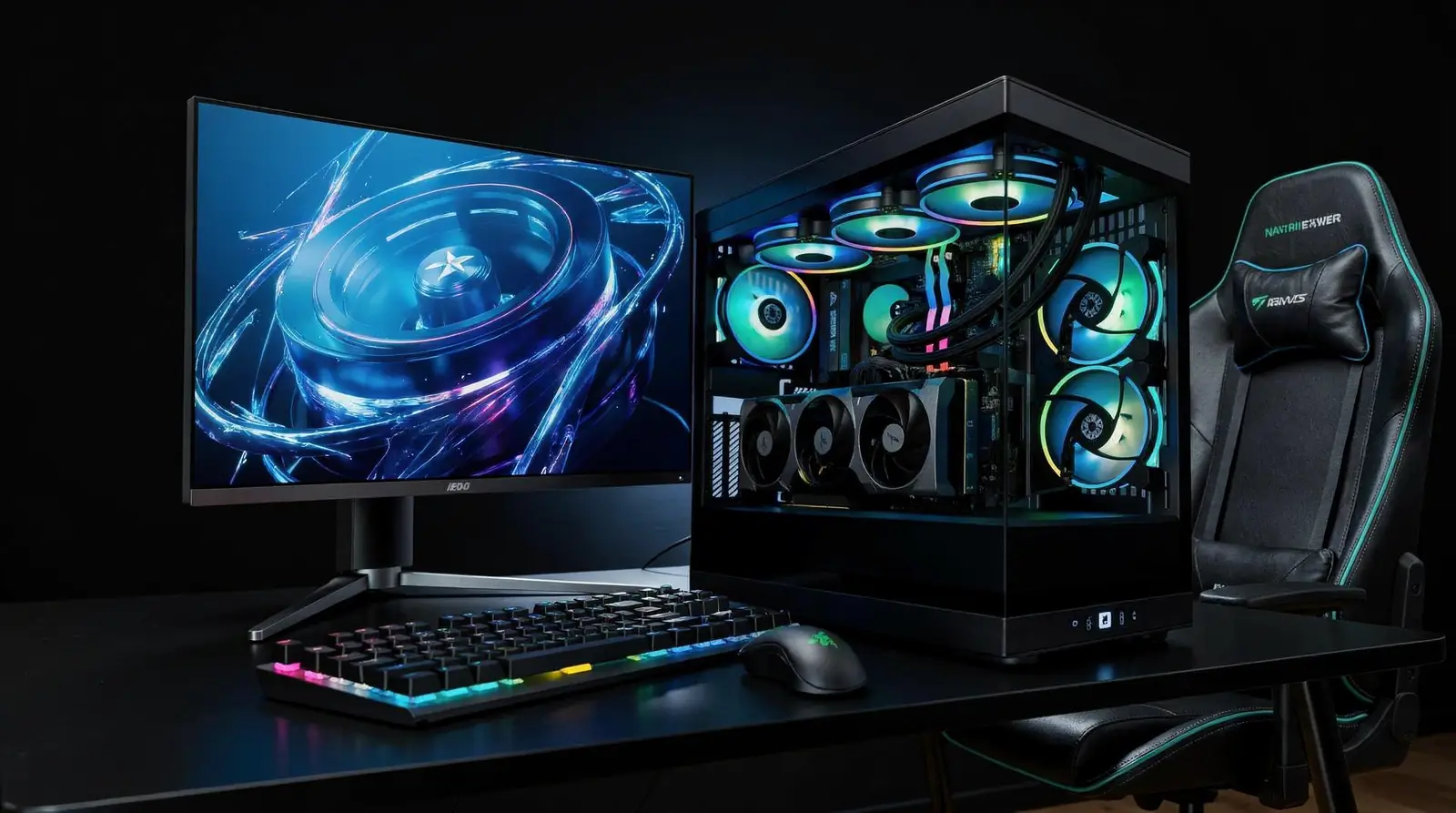
Non-proprietary parts, brand-trusted CPUs and GPUs, headroom-focused specs, and stress-tested builds define the best components for gaming longevity. Locked-down, proprietary systems trap owners into dead ends the moment a part fails or falls behind. Standardized hardware, by contrast, keeps a rig upgradeable and repairable for years rather than months.
Component choice separates a rig that lasts through multiple game generations from one that stalls out fast. XOTIC PC builds gaming desktops using non-proprietary systems paired with cutting-edge technology. Owners aren't locked into a single vendor's ecosystem when it's time to swap a GPU or add storage. cite-2 That freedom matters more than most buyers realize until the day a proprietary part goes obsolete and no replacement exists.
Brand selection drives long-term performance ceiling just as much as raw specs. Building across trusted names — Acer, AORUS, ASUS, GIGABYTE, MSI, Sager/Clevo, and XOTIC PC's own custom chassis. Puts a wide range of proven CPU, GPU, RAM, and storage options in one place. Buyers choosing components from established manufacturers protect resale value and simplify future upgrades, since parts and support stay available longer.
Does buying a higher tier of parts really extend a PC's lifespan?
Yes — headroom is the whole game. Selecting a CPU, GPU, or power supply one tier above current needs delays the moment a build starts feeling outdated. That extra margin absorbs the demands of next-generation titles without forcing an immediate rebuild.
How does testing affect component longevity?
Configuration alone doesn't guarantee longevity; validation does. Specs get dialed in, then thermals get optimized and stability gets stress-tested before a system ships, confirming the chosen parts actually perform together under real gaming and creator workloads. cite-3
Component priorities worth locking in before any build or upgrade:
- Confirm non-proprietary sockets and slots for CPU, RAM, and storage.
- Select GPU and CPU from established, widely supported brands.
- Size the power supply and case one tier above current requirements.
- Demand thermal tuning and stress-testing before accepting delivery.
- Keep upgrade paths open for RAM and SSD expansion down the road.
Skipping any of these steps risks a build that ages fast and costs more to fix later.
How Do You Clean and Cool Your System Right?
Clean airflow and smart cooling choices determine whether a rig thrives for years or chokes on its own heat. Dust buildup chokes fans, spikes temperatures, and forces components to work harder just to survive. Neglect that cycle long enough, and the same GPU that once crushed every benchmark starts throttling mid-match. Protecting a serious hardware investment starts with treating cooling as ongoing maintenance, not a one-time setup task.
Best components for gaming longevity begin at the build stage, long before dust ever becomes a problem. Thermal optimization during assembly sets the real foundation for cooling performance — it's not just about impressive out-of-box benchmark numbers. cite-3 A system tuned correctly from day one runs cooler under everyday stress, not just in showroom conditions. That's why stability validation before shipping matters so much: confirming thermals hold steady under sustained load means fewer surprise slowdowns months later.
Component choice makes a measurable difference too. A quality CPU cooler delivers lower temperatures and quieter operation than a stock fan. That difference compounds over years of use. Cases matter just as much as coolers. Enclosures with more airflow paths and flexible fan mounting options simplify cleaning and long-term maintenance dramatically.
How often should a gaming PC be cleaned?
Dust accumulation depends on environment, but checking fans and filters regularly prevents thermal creep before it damages components. Carpeted rooms, pets, and heavy airflow cases collect dust faster and demand closer attention. Waiting until temperatures spike already means damage is underway.
What's the fastest way to improve cooling without replacing hardware?
Clearing dust from fans, heatsinks, and intake filters restores airflow instantly, often dropping temperatures without spending a dime. Reseating loose cables to reduce case clutter improves airflow further. Combined with a case built for ventilation, these simple habits keep a rig running like it did on day one.
How Should You Validate Stability and Software?
Stability validation confirms that a gaming rig handles sustained load without crashing, overheating, or corrupting data. Every XOTIC PC machine gets torture-tested with OCCT before shipment, pushing the CPU, GPU, memory, and power delivery to their limits. That same benchmark applies after any driver update. The goal is catching instability before a marathon session does it for you.
Selecting the best components for gaming longevity means little if nobody checks how those parts behave together under stress. Factory-level tuning establishes a performance baseline worth protecting long after the box ships. Expert setup and configuration at the outset gives owners a clear reference point: temperatures, clock speeds, and load behavior that should stay consistent through future software changes.
Follow these steps after any major driver, BIOS, or Windows update:
- Install the update through the manufacturer's official channel only.
- Run a stress test on CPU and GPU for at least 15–20 minutes.
- Watch temperatures and clock speeds for sudden spikes or throttling.
- Compare results against the system's original benchmark performance.
- Roll back the update if instability appears.
What if a driver update causes crashes?
Stop the affected application and revert to the previous driver version immediately. A U.S.-based support team stands ready to walk owners through driver conflicts. Software troubleshooting rather than leaving them to guess alone. cite-3 Reach the team Monday through Friday from 9 AM to 10 PM CST. Weekends from 11 AM to 6 PM CST, for maintenance guidance whenever instability strikes.
When Should You Upgrade Instead of Replace?
Three to four years marks the tipping point where high-settings performance starts to slip on most gaming rigs. Gaming PC owners facing frame-rate drops or stutter in demanding titles don't need a brand-new tower. Targeted upgrades often solve the problem. Replacing an entire system wastes the money already sunk into a solid case, power supply, and storage drives that still perform.
Best components for gaming longevity start with an architecture built to accept change. Systems built on non-proprietary architecture stand opposite locked-down OEM designs that trap owners into replacing everything at once. XOTIC PC desktops use this open approach, keeping upgrade paths available for years instead of months.
Which components are worth upgrading first?
RAM and SSD storage typically deliver the fastest performance gains for the lowest cost. On model-dependent laptop builds, upgradeable RAM and SSD slots let owners boost multitasking speed and load times without touching the GPU or motherboard. A graphics card swap comes next for gamers chasing higher settings in newer titles.
How does trade-in value change the upgrade math?
A trade-in program changes the equation entirely. Instead of absorbing the full cost of a new build, owners apply the value of an aging system toward a fresh one.
Consider this simple decision framework:
- Diagnose the bottleneck — identify whether frame drops trace to GPU, RAM, or storage.
- Check upgrade compatibility — confirm the current motherboard and case support next-gen components.
- Compare costs — weigh a targeted upgrade against a full trade-in toward a new build.
- Execute the swap — install new components or initiate a trade-in before performance losses compound further.
Waiting too long past that three-to-four-year window only accelerates the eventual price tag.
How Does a Lifetime Warranty Protect Your Investment?
A lifetime parts and labor warranty removes the clock that usually starts ticking the moment a gaming rig gets unboxed. XOTIC PC backs its desktop systems with exactly that coverage, so owners never face a surprise expiration date on protection. Losing warranty coverage after a year or two forces buyers into costly repairs right when components are aging and failure risk climbs. That's the real cost of shorter warranties — not the sticker price, but what happens after year one.
Coverage alone doesn't guarantee reliability, though. Reliability starts before the warranty ever gets tested. Every XOTIC PC system gets assembled, wired, tuned, tested, and approved by an in-house team based in Lincoln, Nebraska. That process catches weak connections, thermal issues, and configuration errors before a system ever reaches a doorstep, cutting down the early-failure incidents that plague untested builds.
Does XOTIC PC's Track Record Back Up the Warranty Claims?
Reliability claims mean little without proof, and the numbers here hold up. A strong customer rating across more than 11,000 verified reviews signals consistent performance well beyond the first boot. That kind of rating, sustained across thousands of real owners, points to systems built for the long haul. Not just impressive unboxing videos.
Protecting a gaming investment also means choosing the best components for gaming longevity from day one. Financing plays a direct role there. XOTOTIC PC's financing options let buyers step up to higher-tier CPUs, GPUs, and power supplies instead of settling for parts that age out within a couple of years. Consider the tradeoff:
- Budget parts now: lower upfront cost, faster obsolescence, more mid-life upgrades needed.
- Higher-tier parts via financing: manageable payments, stronger longevity, fewer forced upgrades.
Skipping financed upgrades often means paying twice — once at purchase, again at premature replacement.
What Mistakes Cut a Gaming PC's Life Short?
Four habits gut a gaming rig's lifespan faster than any single failed part. Skipped maintenance and components pushed past their limits rank as the leading reason systems miss the five-to-eight-year average lifespan owners expect. Dust buildup, aging thermal paste, and neglected driver updates quietly choke performance long before hardware actually dies. Choosing the best components for gaming longevity from day one heads off most of that damage before it starts.
Common lifespan killers include:
- Running components at full load with zero maintenance schedule
- Buying budget parts sized only for today's games, not tomorrow's
- Ignoring case airflow and cooling configuration options
- Skipping burn-in testing on a freshly purchased machine
Does a pre-built PC guarantee reliability out of the box?
Not automatically. Systems that skip burn-in and stress testing risk stability problems within weeks of purchase, long before any component should fail. XOTIC PC's ready-to-ship systems arrive pre-built, pre-tested, and shipped within one business day, closing that gap before a customer ever powers one on.
Is it cheaper to buy a smaller build now?
Rarely, over the long run. Undersizing a build to save money upfront often forces an early, costlier replacement instead of a simple upgrade path. Buying one component tier above current needs. Extra USB ports, stronger CPU power delivery, a case with multiple fan configurations — pays off years later.
Ignoring case airflow creates a second, quieter problem: harder maintenance. A cramped case with limited fan mounting makes routine dust removal and thermal upkeep a struggle instead of a five-minute job. Cases built with more configuration options stay easier to clean, easier to upgrade, and easier to keep cool for years. Skip that consideration, and even premium components run hotter and age faster than they should.
FAQ
How often should you clean and maintain a gaming PC?
Remove dust buildup regularly, monitor temperatures, and update drivers monthly. Replace thermal paste every two to three years to keep components running efficiently and prevent overheating-related damage.
What makes XOTIC PC systems easier to upgrade over time?
XOTIC PC builds systems using non-proprietary parts and cutting-edge technologies, keeping every component serviceable and swappable. This approach supports strategic upgrades without forcing a full system replacement.
What protects a gaming PC investment long-term?
XOTIC PC's lifetime parts and labor warranty backs every desktop system as standing protection. Combined with non-proprietary components and regular maintenance, this coverage safeguards the build for years beyond factory specs.
Facts
- XOTIC PC is located in Lincoln, NE, US.
- XOTIC PC has 25 employees.
- XOTIC PC is located in Lincoln, Nebraska.
- Every XOTIC PC is assembled, wired, tuned, tested, and approved by an in-house team in Lincoln, Nebraska.
- XOTIC PC has been in business since 1999.
- XOTIC PC offers a lifetime parts and labor warranty on XOTIC PC desktop systems.
- XOTIC PC's customer service and support hours are Monday–Friday, 9:00 AM - 10:00 PM CST and Saturday - Sunday, 11:00 AM - 6:00 PM CST.
- XOTIC PC's main phone number is 402-466-2090.
- XOTIC PC offers custom gaming PCs and laptops.
- XOTIC PC offers customization options such as wraps, etching, hydro-dipping, paint, and lighting.
- XOTIC PC offers ready-to-ship PCs that are pre-built, pre-tested, and ready to ship in 1 business day.
- XOTIC PC has a customer rating of 4.8/5 across 11,000+ verified reviews.
- XOTIC PC offers a trade-in program for upgrading PCs.
- XOTIC PC offers financing options.