![Best Gaming PC Under $1,500 [2026 Buyer's Guide]](http://xoticpc.com/cdn/shop/articles/5b674ed0-c752-4396-ba05-3374641b4dcd.webp?v=1775225208&width=1600)
Best Gaming PC Under $1,500: 2026 Buyer's Guide for Custom and Mid-Range Builds

Finding the best gaming PC under $1,500 in 2026 can be a daunting task, especially with the rapid advancements in technology and the plethora of options available. This guide aims to simplify your decision-making process by highlighting the best custom and mid-range builds that offer exceptional performance without breaking the bank. You'll learn about the advantages of customization, the top components to consider, and the best pre-built options available today. Many gamers struggle with balancing performance and budget, but with the right information, you can make an informed choice that meets your gaming needs. This article will cover the best custom gaming PC builds, essential components, and the top mid-range desktops available under $1,500.
Research further supports the importance of understanding the distinctions between custom and pre-built systems when evaluating mid-range gaming PC performance.
Custom & Pre-Built Mid-Range Gaming PC Performance
today’s highest-performance purpose-built gaming PCs, with the , we segment PCs used for gaming into Entry-level, Mid-range, We specified a set of pre-built and custom-built gaming
Green Gaming: Energy Efficiency without Performance Compromise, J Mai, 2018
Which Custom Gaming PC Builds Offer the Best Value Under $1,500 in 2026?
Custom gaming PCs provide a unique opportunity to tailor your system to your specific gaming needs while maximizing value. In 2026, the best custom builds under $1,500 focus on balancing performance, aesthetics, and future upgrade potential. By selecting the right components, you can create a system that not only meets current gaming demands but also adapts to future advancements.
How Does Customization Enhance Performance and Budget Control?
Customization allows gamers to select components that best fit their performance requirements and budget constraints. By choosing specific CPUs, GPUs, and other hardware, you can optimize your system for the games you play most. This tailored approach not only enhances gaming performance but also helps control costs by avoiding unnecessary features that may not be relevant to your gaming style. Additionally, custom builds often provide better cooling solutions and upgrade paths, ensuring your investment lasts longer.
Further studies emphasize the critical role of component optimization in achieving maximum performance from a PC build.
PC Component Optimization for Maximum Performance
the importance of pushing PCs to their full potential has the gap between theoretical optimization strategies and their real- build on these studies, aiming to offer optimization strategies
Optimization of PC Components for Maximum Performance, 2024
What Are the Top Component Choices for Custom Builds?
When building a gaming PC under $1,500, selecting the right components is crucial for achieving optimal performance. Key components to consider include the CPU, GPU, RAM, and storage options.
| Component Type | Recommended Options | Price Range |
|---|---|---|
| CPU | AMD Ryzen 7 9800X3D (top gaming CPU, 3D V-Cache, 27% faster than Core i9-14900K), AMD Ryzen 9 9950X3D (gaming + productivity, $699), Intel Core Ultra 7 270K Plus (Arrow Lake Refresh), AMD Ryzen 5 9600X (budget pick) | $200 - $700 |
| GPU | NVIDIA RTX 5090 (32GB GDDR7, DLSS 4 Multi-Frame Generation, best for 4K), NVIDIA RTX 5080 (enthusiast), AMD Radeon RX 9070 XT (best value, near RTX 5070 Ti performance for less), Intel Arc B580 ($249, great for 1080p/1440p), AMD RX 9060 XT 16GB (mainstream gaming) | $249 - $1,600 |
| RAM | 16GB DDR4 3200MHz | $60 - $100 |
| Storage | 1TB NVMe SSD | $100 - $150 |
These components provide a solid foundation for a gaming PC that can handle modern titles at high settings while remaining within budget. Key 2026 GPU technologies to look for include DLSS 4, FSR 4, and Multi-Frame Generation, which enhance performance and visual quality.
What Are the Best Mid-Range Gaming Desktops Available in 2026 Under $1,500?
For those who prefer pre-built systems, several mid-range gaming desktops offer excellent performance under $1,500. These systems are designed to deliver a great gaming experience right out of the box, with minimal setup required.
- CyberPowerPC Gamer Xtreme VR - Priced at around $1,299, this desktop features an Intel Core Ultra 7 270K Plus processor and an NVIDIA RTX 5080, making it a strong contender for gamers looking for performance and value.
- iBUYPOWER Element Mini 9300 - Available for approximately $1,199, this compact gaming PC comes with an AMD Ryzen 5 9600X CPU and an AMD Radeon RX 9070 XT, providing a great balance of power and size.
- HP Pavilion Gaming Desktop - At about $1,399, this model includes an AMD Ryzen 7 9800X3D and an NVIDIA RTX 3060, suitable for gamers who want a reliable and stylish option.
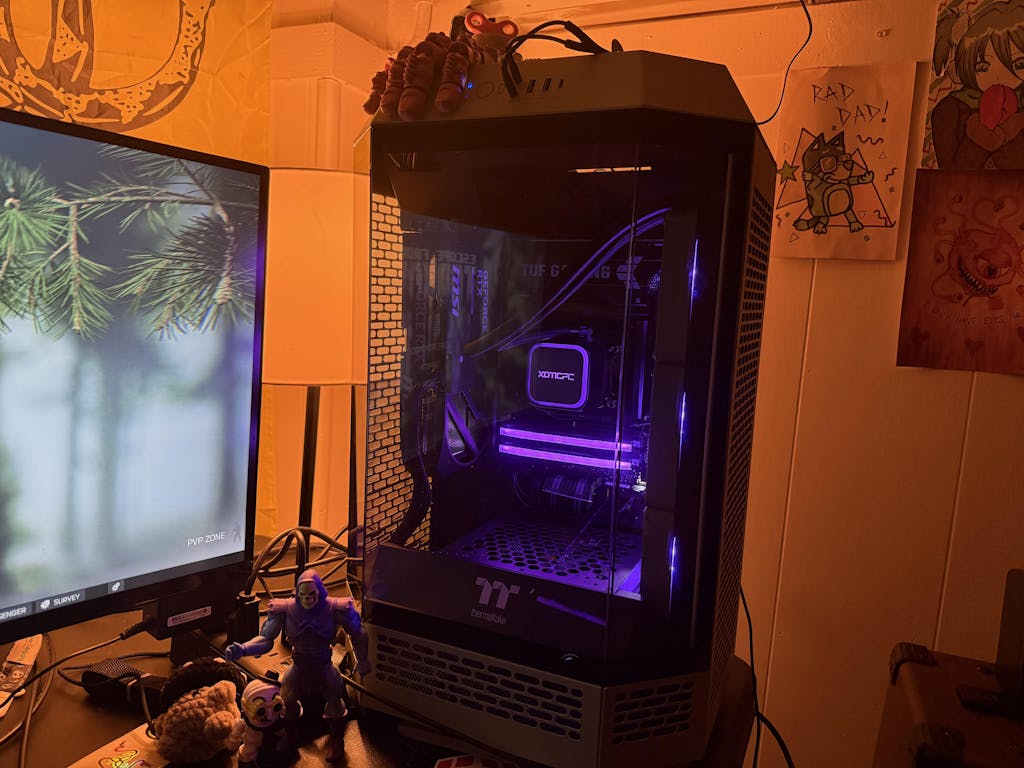
- XOTIC PC - Offering customizable options under $1,500, XOTIC PC provides pre-built gaming desktops that balance performance and affordability, often featuring competitive CPUs and GPUs suitable for 1080p and 1440p gaming.
Which CPUs and GPUs Deliver Optimal Performance in This Price Range?
In the under $1,500 category, the AMD Ryzen 7 9800X3D and Intel Core Ultra 7 270K Plus are among the best CPUs, offering excellent multi-threaded performance for gaming and productivity. For GPUs, the AMD Radeon RX 9070 XT provides the best value with performance near the NVIDIA RTX 5070 Ti but at a lower price point. The Intel Arc B580 is a budget-friendly option great for 1080p and 1440p gaming, while the NVIDIA RTX 5090 and RTX 5080 cater to enthusiasts aiming for 4K gaming with advanced features like DLSS 4 and Multi-Frame Generation.
A detailed comparison of mid-range GPUs further highlights the performance nuances between the AMD Radeon RX 9070 XT and NVIDIA RTX 5070 Ti.
Gaming GPU Comparison: Mid-Range Performance & Price
Performance and price differences weren’t that significant, -kategorian Nvidia RTX 3060 sekä AMD Radeon RX 6600 XT olivat samanhintaisia, mutta RTX 3060 suoriutui merkittävästi
Näytönohjaimien perusteet ja vertailu pelikäytössä, 2022
How Do Gaming PC Deals and Promotions Affect Your Purchase Decision?
Timing your purchase can significantly impact the overall cost of your gaming PC. Many retailers offer seasonal promotions, especially during holidays and back-to-school sales. By keeping an eye on these deals, you can save a substantial amount on your gaming rig. Additionally, consider bundling components or looking for package deals that include peripherals, as these can further enhance your gaming experience without exceeding your budget.
How Do Performance Benchmarks Inform the Selection of High-Performance Gaming Computers Under $1,500?
Performance benchmarks are essential for evaluating the capabilities of gaming PCs. They provide insights into how well a system can handle various games and applications, helping you make an informed decision.
What Benchmark Scores Should You Expect from Popular GPUs and CPUs?
When assessing performance, look for benchmark scores that indicate how well a CPU or GPU performs in real-world gaming scenarios. For instance, the NVIDIA RTX 5090 typically scores significantly higher than previous generations in 3DMark Time Spy, while the AMD Ryzen 7 9800X3D achieves top-tier scores in Cinebench R20, outperforming the Core i9-14900K by about 27%. These scores can help you gauge the expected performance of your gaming PC.
How Does RAM and Storage Impact Gaming Experience in Budget PCs?
RAM and storage play crucial roles in the overall gaming experience. Sufficient RAM ensures smooth multitasking and prevents bottlenecks during gameplay, while fast storage options like NVMe SSDs significantly reduce load times.
What Upgrade Paths and Support Options Are Available for Budget Gaming Rigs in 2026?
When investing in a budget gaming PC, it's essential to consider future upgrade paths. Many components, such as RAM and GPUs, can be easily upgraded to enhance performance over time.
Can You Easily Upgrade Components Like RAM and GPU in Mid-Range PCs?
Most mid-range gaming PCs are designed with upgradeability in mind. For example, systems that come with 16GB of RAM can often be expanded to 32GB, and GPUs can be swapped out for more powerful models as they become available. This flexibility allows you to keep your gaming rig relevant for years to come.
What Warranty and Customer Support Should You Expect from Reliable Providers?
When purchasing a gaming PC, it's important to consider the warranty and customer support offered by the manufacturer. Most reputable brands provide at least a one-year warranty on parts and labor, along with access to customer support for troubleshooting and assistance. This support can be invaluable, especially for first-time builders or buyers.