How to Reapply Thermal Paste: Essential Guide for Optimal CPU Cooling and Gaming PC Performance
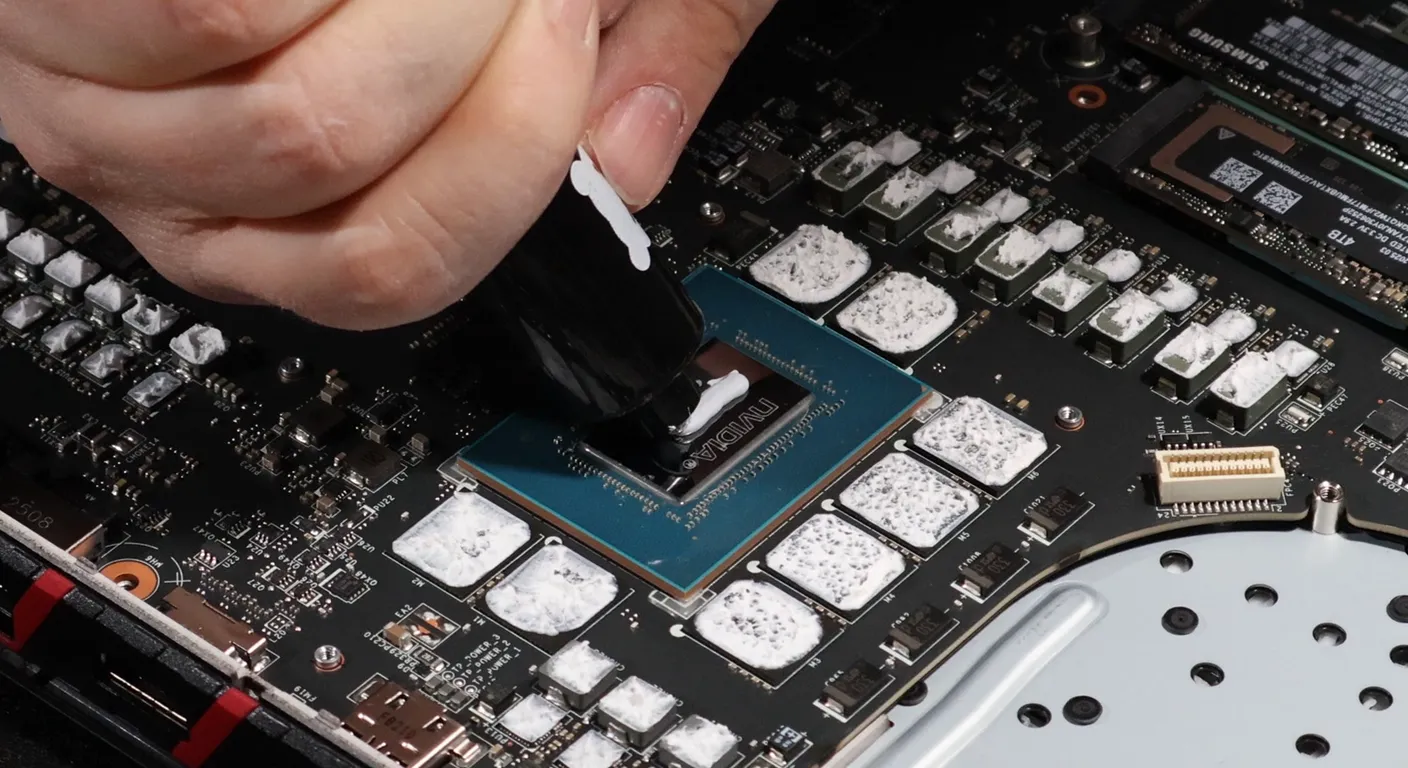
Reapplying thermal paste is a crucial maintenance task for anyone looking to optimize their CPU cooling and enhance gaming performance. Thermal paste, also known as thermal compound, plays a vital role in ensuring efficient heat transfer between the CPU and its cooler. Over time, thermal paste can dry out or become less effective, leading to overheating and potential hardware damage. This guide will walk you through the different types of thermal paste, the step-by-step process for reapplication, and the tools you'll need to ensure your gaming PC runs smoothly. We will also discuss how often you should reapply thermal paste to maintain optimal performance.
What Are the Different Thermal Paste Types and Which Is Best for Gaming PCs?
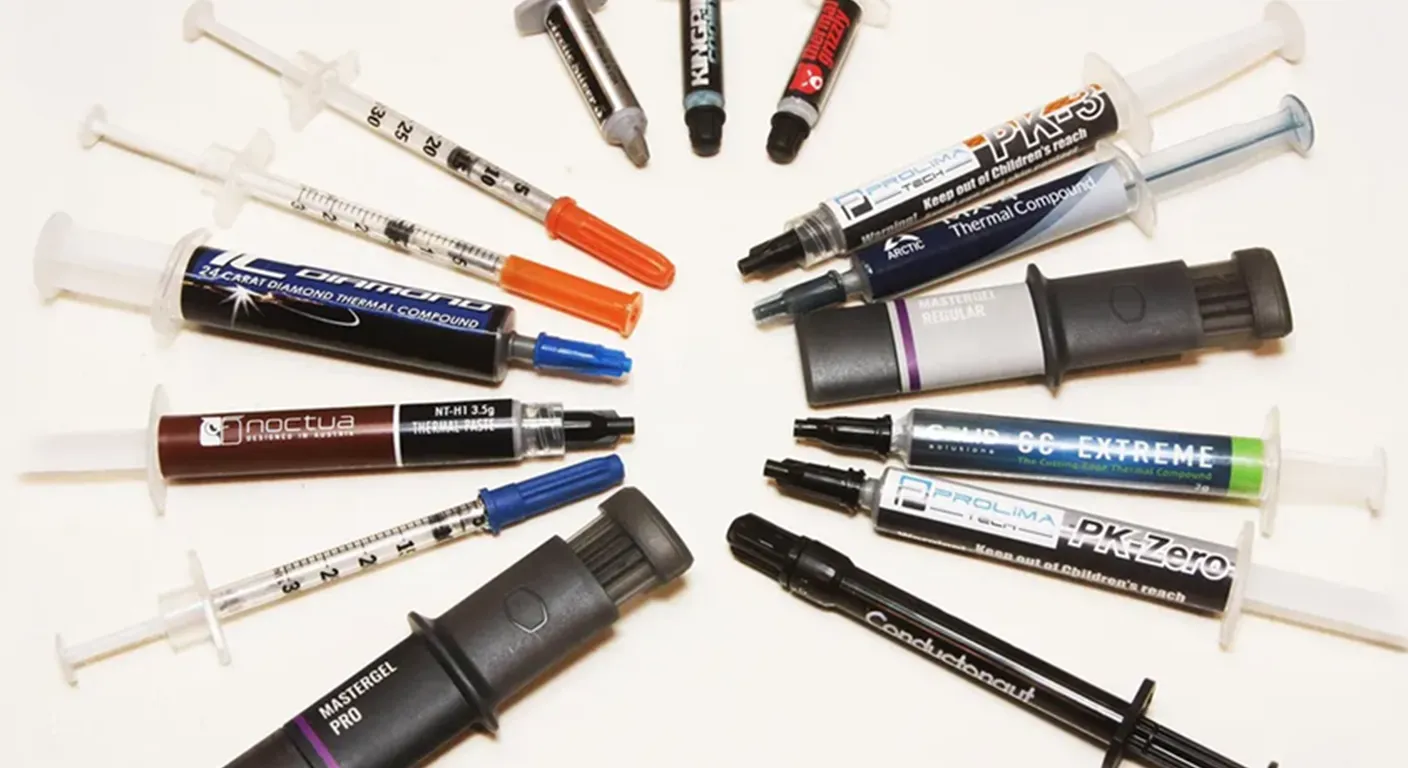
When it comes to thermal paste, several types are available, each with unique properties that can affect CPU cooling efficiency. The most common types include silicone-based, metal-based, and ceramic-based thermal pastes. Silicone-based pastes are easy to apply and are generally less expensive, making them suitable for casual users. Metal-based pastes, on the other hand, offer superior thermal conductivity, making them ideal for high-performance gaming PCs. Ceramic-based pastes provide a good balance between performance and safety, as they are non-conductive.
| Thermal Paste Type | Thermal Conductivity | Best Use Case |
|---|---|---|
| Silicone-based | Moderate | General use |
| Metal-based | High | High-performance gaming PCs |
| Ceramic-based | Moderate | Balanced performance |
Choosing the right thermal paste can significantly impact your CPU's cooling efficiency. For gamers and power users, investing in a high-quality metal-based thermal paste can lead to better thermal management and improved performance.
Beyond traditional pastes, advanced thermal interface materials like liquid metal are also being developed to push the boundaries of heat transfer, though they come with their own considerations.
Liquid Metal Thermal Pads for Enhanced Heat Transfer
Gallium-based liquid metal has significant research value in interfacial heat transfer due to high its thermal conductivity. However, its great fluidity frequently causes the risk of leakage and corrosion when in direct contact with heat sinks. In this paper, a high-performance thermal pad with diphase continuous structure reinforced by liquid metal is proposed.
Improving the thermal, mechanical, and insulating characteristics of thermal interface materials with liquid metal-based diphase structure, 2024
How Do Thermal Paste Properties Affect CPU Cooling Efficiency?
The properties of thermal paste, such as thermal conductivity and viscosity, directly influence how effectively heat is transferred from the CPU to the cooler. High thermal conductivity ensures that heat is dissipated quickly, preventing overheating. Conversely, if too much thermal paste is applied, it can create a barrier that traps heat, leading to higher temperatures. Therefore, understanding these properties is essential for maintaining optimal CPU cooling.
Which Thermal Paste Brands Offer the Best Performance for High-End Gaming PCs?
Several brands are renowned for their high-performance thermal pastes, particularly for gaming PCs. Brands like Arctic Silver, Noctua, and Thermal Grizzly are often recommended for their excellent thermal conductivity and reliability. Arctic Silver 5, for instance, is a popular choice among enthusiasts due to its high thermal performance and longevity. Noctua's NT-H1 is another excellent option, known for its ease of application and effective cooling properties.
What Are the Step-by-Step Instructions for Proper Thermal Paste Removal and Reapplication?
Reapplying thermal paste involves a few critical steps to ensure that the process is done correctly and safely.
- Gather Your Tools: You'll need isopropyl alcohol (preferably 90% or higher), lint-free cloths, and a new tube of thermal paste.
- Remove the CPU Cooler: Carefully detach the cooler from the CPU, ensuring not to damage any components.
- Clean the Old Thermal Paste: Use isopropyl alcohol and a lint-free cloth to remove the old thermal paste from both the CPU and the cooler.
- Apply New Thermal Paste: Place a small amount of thermal paste (about the size of a pea or a grain of rice) in the center of the CPU.
- Reattach the Cooler: Carefully place the cooler back on the CPU, allowing the paste to spread evenly.
Following these steps will help ensure that your CPU remains cool and performs optimally. how to keep your gaming laptop cooler
How Should You Safely Remove Old Thermal Paste from Your CPU?
To safely remove old thermal paste, start by powering down your PC and unplugging it. Use a lint-free cloth dampened with isopropyl alcohol to gently wipe away the old paste. Avoid using excessive force, as this could damage the CPU or cooler. Ensure that both surfaces are clean and free of residue before applying new thermal paste.
What Is the Correct Technique to Apply New Thermal Paste for Optimal Heat Transfer?
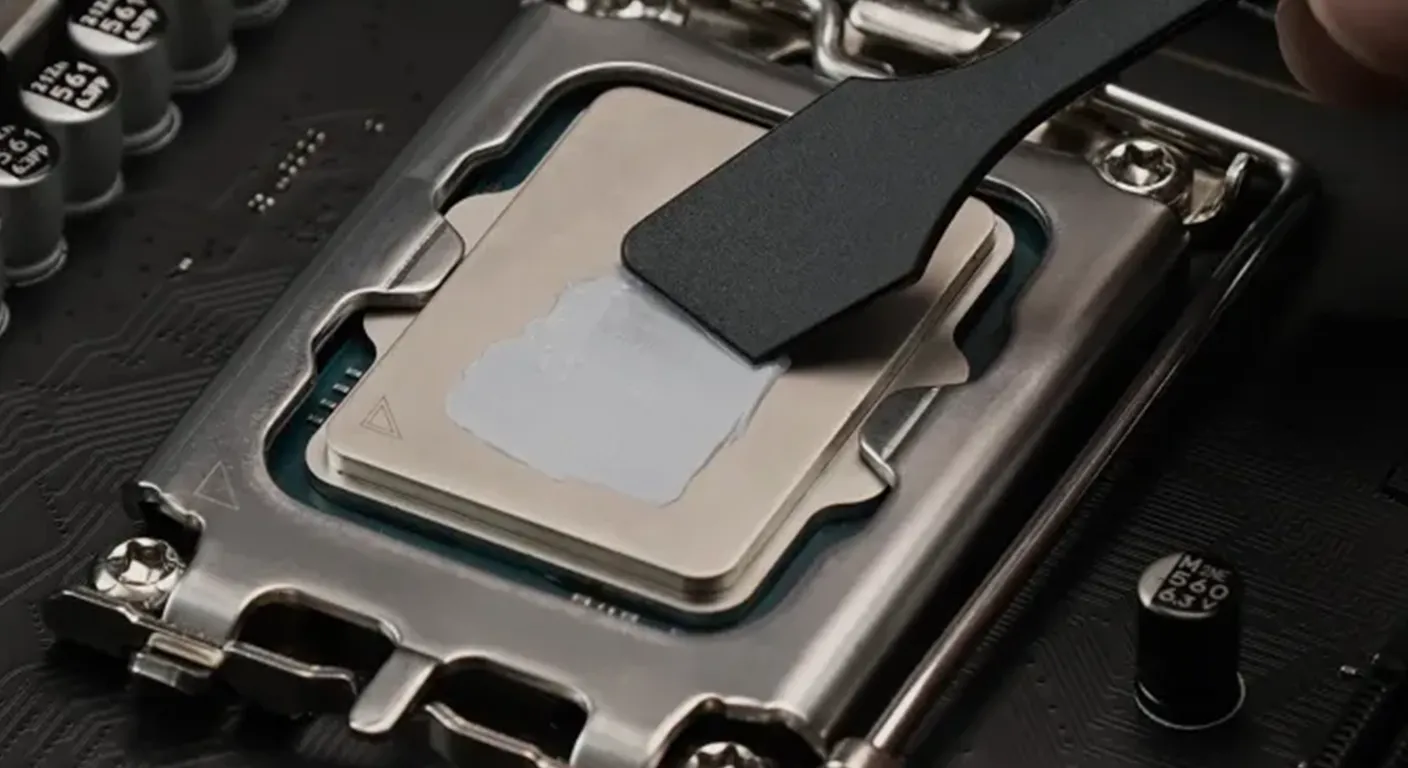
When applying new thermal paste, the key is to use the right amount and technique. A small dot in the center of the CPU is usually sufficient, as the pressure from the cooler will spread the paste evenly across the surface. Avoid spreading the paste manually, as this can lead to uneven application and reduced effectiveness.
How Often Should Thermal Paste Be Reapplied to Maintain Effective CPU Cooling?
The frequency of thermal paste reapplication can vary based on usage and environmental factors. Generally, it is recommended to reapply thermal paste every 3-5 years, or sooner if you notice increased CPU temperatures. Factors such as overclocking, high ambient temperatures, and heavy usage can accelerate the degradation of thermal paste.
What Factors Influence Thermal Paste Drying Time and Longevity?
Several factors can affect the drying time and longevity of thermal paste, including the quality of the paste, the amount applied, and environmental conditions. High-quality thermal pastes typically have longer lifespans, while excessive application can lead to quicker drying and reduced effectiveness. Additionally, high temperatures can accelerate the drying process, necessitating more frequent reapplication.
Studies further explore the mechanisms behind thermal paste degradation, particularly the dry-out phenomenon.
Thermal Grease Dry-Out Degradation & Overload Prevention
the thermal interface and induces thermal overload in a spacecraft. In this study, a mechanism-based prediction method for the silicone thermal grease
Theoretical analysis on thermal grease dry-out degradation in space environment, ZY Jiang, 2022
How Does Thermal Paste Maintenance Impact Gaming PC Stability and Performance?
Proper thermal paste maintenance is crucial for the stability and performance of gaming PCs. Insufficient or degraded thermal paste can lead to overheating, which may cause thermal throttling or even hardware failure. Regularly checking and reapplying thermal paste ensures that your CPU operates within safe temperature ranges, ultimately enhancing gaming performance and system reliability.
Indeed, research confirms that proper thermal paste maintenance is a key strategy for preventing overheating and improving gaming system performance.
Gaming Laptop Overheating Solutions: Thermal Paste Replacement
Practical solutions such as dust cleaning, thermal paste replacement, use of external coolers, and optimization of fan speeds using the Taguchi method are highlighted as effective.
Overheating and Cooling Methods in Gaming Laptops: Literature Review and Practical Solutions (Case Study of HP Victus 15), 2025
What Tools and Materials Are Needed for Thermal Paste Reapplication on Custom Gaming PCs?
To successfully reapply thermal paste, you will need a few essential tools and materials:
- Isopropyl Alcohol: For cleaning old thermal paste.
- Lint-Free Cloths: To avoid leaving fibers on the CPU or cooler.
- Thermal Paste: Choose a high-quality paste suitable for your needs.
- Screwdriver: For removing the CPU cooler.
Which Cleaning Supplies Are Recommended for Thermal Paste Removal?
For effective thermal paste removal, isopropyl alcohol (preferably 90% or higher) is recommended. It evaporates quickly and leaves no residue, making it ideal for cleaning CPU surfaces. Lint-free cloths or coffee filters are also excellent choices, as they won't leave fibers behind.
What Application Tools Ensure Even Thermal Paste Distribution?
While many users apply thermal paste directly from the tube, using a plastic spreader can help achieve an even layer. However, the pressure from the cooler is usually sufficient to spread the paste adequately. It's essential to ensure that the cooler is mounted correctly to avoid uneven distribution.