Top Picks for Affordable Gaming PCs That Impress: Best Budget Gaming PC Builds for 2026

As gaming technology continues to evolve, finding an affordable gaming PC that delivers impressive performance is more crucial than ever. In 2026, gamers are looking for systems that not only fit their budget but also provide a seamless gaming experience. This article will explore the defining characteristics of affordable gaming PCs, highlight the best prebuilt gaming PC options available, and guide you on selecting the right components for your budget gaming build. By understanding the essential components and customization options, you can make informed decisions that enhance your gaming experience without breaking the bank.
While traditional budget builds focus on local hardware, alternative approaches like cloud gaming also offer a path to an impressive gaming experience without significant upfront investment in local hardware.
Cloud Gaming for Budget PCs: Eliminating Hardware Reliance
Cloud gaming, as a paradigm in which games are rendered and streamed over remote servers, promises to transform the digital entertainment sector, as it eliminates the reliance on powerful local hardware. The paper discusses the trend of the traditional PC/ console game to modern cloud-based systems with essential performance indicators such as latency, bandwidth demands, and user experience. The results indicate that cloud gaming can greatly enhance accessibility especially among users with low-end platforms or when in an emerging market, yet real-time responsiveness is limited due to the network infrastructure Consumer preference to traditional gaming remains despite its disruptive potential, given that it benefits offline play, lower-lat
Cloud gaming: Redefining the future of entertainment beyond conventional PCs, MK Jha, 2025
What Defines an Affordable Gaming PC That Impresses in 2026?
An affordable gaming PC that impresses in 2026 is characterized by a balanced combination of performance, customization, and upgrade potential. These systems typically feature a well-matched CPU and GPU, ensuring that both components work harmoniously to deliver high frame rates and smooth gameplay. Proper airflow and cooling design are also critical, as they prevent overheating and maintain optimal performance during extended gaming sessions. Additionally, upgrade-friendly components allow users to enhance their systems over time, ensuring longevity and adaptability to future gaming demands.
Which Components Deliver High Performance on a Budget?

When building a budget gaming PC, selecting the right components is essential for achieving high performance without overspending. Here are some recommended components that deliver excellent value:
| Component Type | Recommended Model | Price Range |
|---|---|---|
| CPU | AMD Ryzen 5 9600 | $220 - $270 |
| Intel Core Ultra 5 2400 | $230 - $280 | |
| GPU | NVIDIA GeForce RTX 5060 | $299 - $349 |
| AMD Radeon RX 9070 | $320 - $370 |
These components provide a solid foundation for a gaming rig that can handle most modern titles at respectable settings. The importance of RAM and storage cannot be overlooked, as they significantly impact overall system performance and loading times.
Beyond raw performance and storage, considering the energy efficiency of components is another critical factor for budget builds, impacting both running costs and overall system design.
Energy-Efficient Gaming PC Components for Budget Builds
Gaming is the most energy-intensive use of personal computers, and the high-performance “racecar” systems built expressly for gaming are the fastest growing type of gaming platform. Large performance-normalized variations in nameplate power ratings for gaming computer components available on today’s market indicate significant potential for energy savings: central processing units vary by 4.3-fold, graphics processing units 5.8-fold, power supply units 1.3-fold, motherboards 5.0-fold, and random access memory (RAM) 139.2-fold. Measured performance of displays varies by 11.5-fold. However, underlying the importance of empirical data, we find that measured peak power requirements are considerably lower than nameplate for most components tested, and by about 50 % for complete systems.
Taming the energy use of gaming computers, E Mills, 2016
How Does Customization Enhance Value and Performance?
Customization plays a vital role in maximizing the value and performance of budget gaming PCs. By tailoring component selection to specific gaming needs, users can optimize their systems for better performance. For instance, choosing a powerful GPU can significantly enhance graphics quality, while selecting a high-speed SSD can reduce load times. Furthermore, customization allows gamers to future-proof their systems, ensuring that they can upgrade individual components as new technologies emerge.
What Are the Best Value Gaming PCs Available in 2026?
In 2026, several gaming PCs stand out for their exceptional value, combining performance and affordability. These systems are designed to cater to gamers who want a reliable experience without spending excessively.
How Do XOTIC PC’s Customizable Affordable Gaming Desktops Compare?
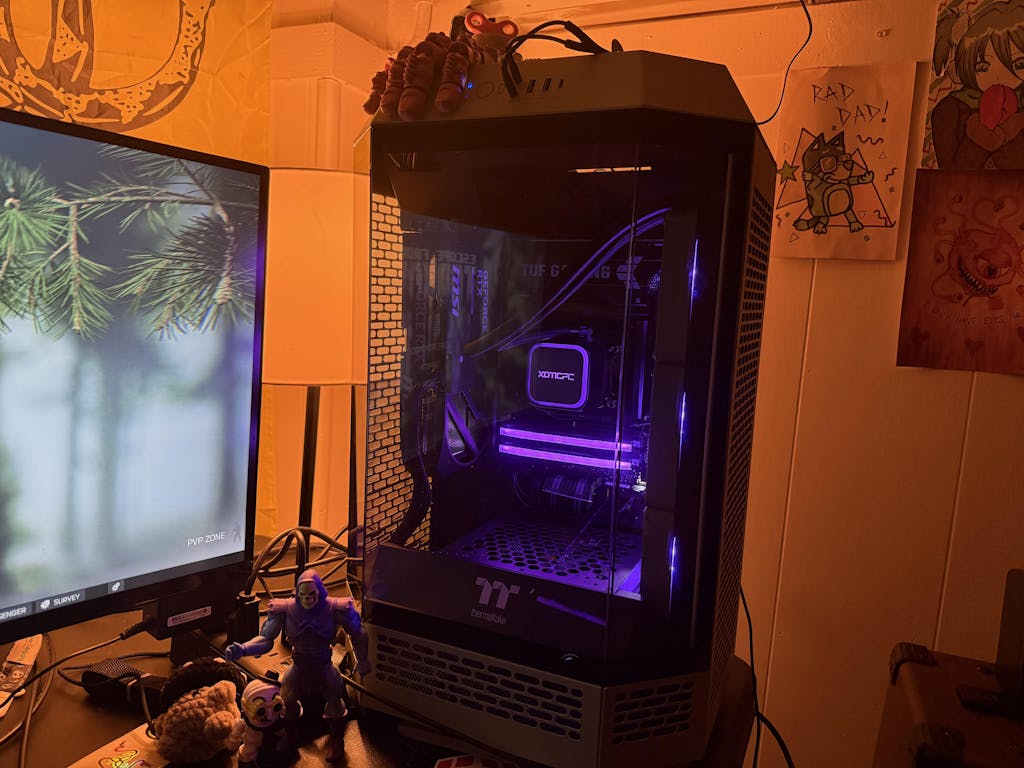
XOTIC PC offers a range of customizable affordable gaming desktops that stand out in the market. Their systems allow users to select components that best fit their gaming preferences, ensuring optimal performance tailored to individual needs. With a focus on high-performance components and competitive pricing, XOTIC PC's offerings provide excellent value for budget-conscious gamers.
Which Budget Gaming Rigs Offer the Best Performance for Price?
When evaluating budget gaming rigs, several models consistently deliver the best performance for their price. These include systems that feature the latest CPUs and GPUs, ensuring that gamers can enjoy high-quality graphics and smooth gameplay. User feedback often highlights the importance of build quality and customer support, which can significantly influence the overall gaming experience.
How to Choose the Right Components for Budget Gaming PC Builds?
Selecting the right components for a budget gaming PC build requires careful consideration of compatibility and performance. Here are some key factors to keep in mind:
- Component Compatibility: Ensure that the CPU, GPU, and motherboard are compatible with each other to avoid performance bottlenecks. For 2026 budget builds, platforms like B860 and Z890 are recommended for Intel Core Ultra processors, while AM5 is the go-to for Ryzen 9000 series CPUs.
- Performance Considerations: Prioritize components that offer the best performance-to-price ratio, focusing on those that meet your gaming needs. The Ryzen 5 9600 and Intel Core Ultra 5 2400 provide excellent performance-per-dollar for budget gaming.
- Budget Allocation: Allocate your budget wisely, balancing spending between the CPU, GPU, RAM, and storage to create a well-rounded system.
What Are the Top Affordable GPUs for Gaming PCs in 2026?
In 2026, several GPUs stand out as top choices for budget gaming PCs. These include: best pcs for 4k gaming in 2025.
- NVIDIA GeForce RTX 5060: Known for its excellent performance in 1080p gaming, this GPU offers great value for budget builds and supports DLSS 4 with Multi Frame Generation for enhanced frame rates and image quality.
- AMD Radeon RX 9070: A solid option for gamers looking for a balance between price and performance, particularly in eSports titles, featuring AMD FSR 4 technology for improved upscaling and performance.
Which CPUs and RAM Options Optimize Budget Gaming Performance?
For optimal budget gaming performance, consider the following CPUs and RAM options:
- AMD Ryzen 5 9600: This CPU provides excellent multi-threaded performance on the AM5 platform with DDR5 memory support, making it ideal for gaming and multitasking.
- Intel Core Ultra 5 2400: A strong contender in the budget tier, offering great performance for gaming at a reasonable price on B860 or Z890 platforms.
- RAM: Aim for at least 16GB of DDR5 RAM to ensure smooth performance in modern games.
What Customization Options Maximize Performance in Affordable Gaming PCs?
Maximizing performance in affordable gaming PCs often involves exploring various customization options. These can include:
- Cooling Solutions: Upgrading to better cooling systems can enhance performance and longevity by preventing overheating.
- Aesthetic Choices: Customizing the appearance of your rig can also enhance your gaming setup, making it more visually appealing.
- Future Upgrade Paths: Selecting components that allow for easy upgrades can save money in the long run, as you can replace parts as needed.
How to Customize Cooling Solutions for Budget Gaming Rigs?
Effective cooling solutions are essential for maintaining performance in budget gaming rigs. Here are some tips for customizing cooling:
- Types of Cooling Solutions: Consider air cooling or liquid cooling options based on your budget and performance needs.
- Impact on Performance: Proper cooling can prevent thermal throttling, ensuring that your components run at optimal temperatures.
- Installation Tips: Follow manufacturer guidelines for installation to ensure that cooling systems are set up correctly for maximum efficiency.
What Upgrade Paths Are Available for Affordable Gaming Desktops?
Affordable gaming desktops often come with various upgrade paths that can enhance performance over time. Key upgrade options include: optimal series gaming desktops.
- Graphics Card Upgrades: Replacing the GPU can significantly boost gaming performance, especially as new titles are released. Upgrading from an RTX 5060 to an RTX 5060 Ti or RTX 5070 is a common path.
- RAM Expansion: Increasing RAM can improve multitasking capabilities and overall system responsiveness.
- Storage Solutions: Upgrading to an SSD can reduce load times and improve system performance.
How Do Performance Benchmarks Inform the Best Budget Gaming PC Choices?
Performance benchmarks are crucial for identifying the best budget gaming PCs. They provide insights into how different systems perform under various gaming conditions, helping consumers make informed decisions.
What Recent Benchmark Data Highlights Top Affordable Gaming PCs?
Recent benchmark data indicates that several budget gaming PCs excel in performance, particularly in popular titles. These benchmarks often highlight frame rates, load times, and overall system responsiveness, allowing gamers to compare different models effectively. The RTX 5060 and RX 9070 GPUs consistently deliver smooth 1080p gameplay with high frame rates, often enhanced by DLSS 4 and FSR 4 technologies.
How Do Budget Gaming PCs Perform in Popular 2026 Games?
Budget gaming PCs in 2026 are capable of delivering impressive performance in popular games. Many systems can handle demanding titles at medium to high settings, providing a satisfying gaming experience without the need for high-end hardware.
Where Can You Find Reliable Reviews and Ratings for Affordable Gaming PCs?
Finding reliable reviews and ratings is essential for making informed purchasing decisions. Trusted sources often provide in-depth analyses of gaming PCs, highlighting their strengths and weaknesses.
What Do User Reviews Reveal About XOTIC PC’s Budget Gaming Desktops?
User reviews for XOTIC PC's budget gaming desktops often emphasize customer satisfaction, build quality, and performance. Many users appreciate the customization options available, allowing them to tailor their systems to their specific gaming needs.
How to Interpret Aggregate Ratings for Informed Purchases?
Interpreting aggregate ratings can help consumers make informed decisions when purchasing gaming PCs. Look for consistent feedback across multiple platforms, focusing on key metrics such as performance, reliability, and customer support.